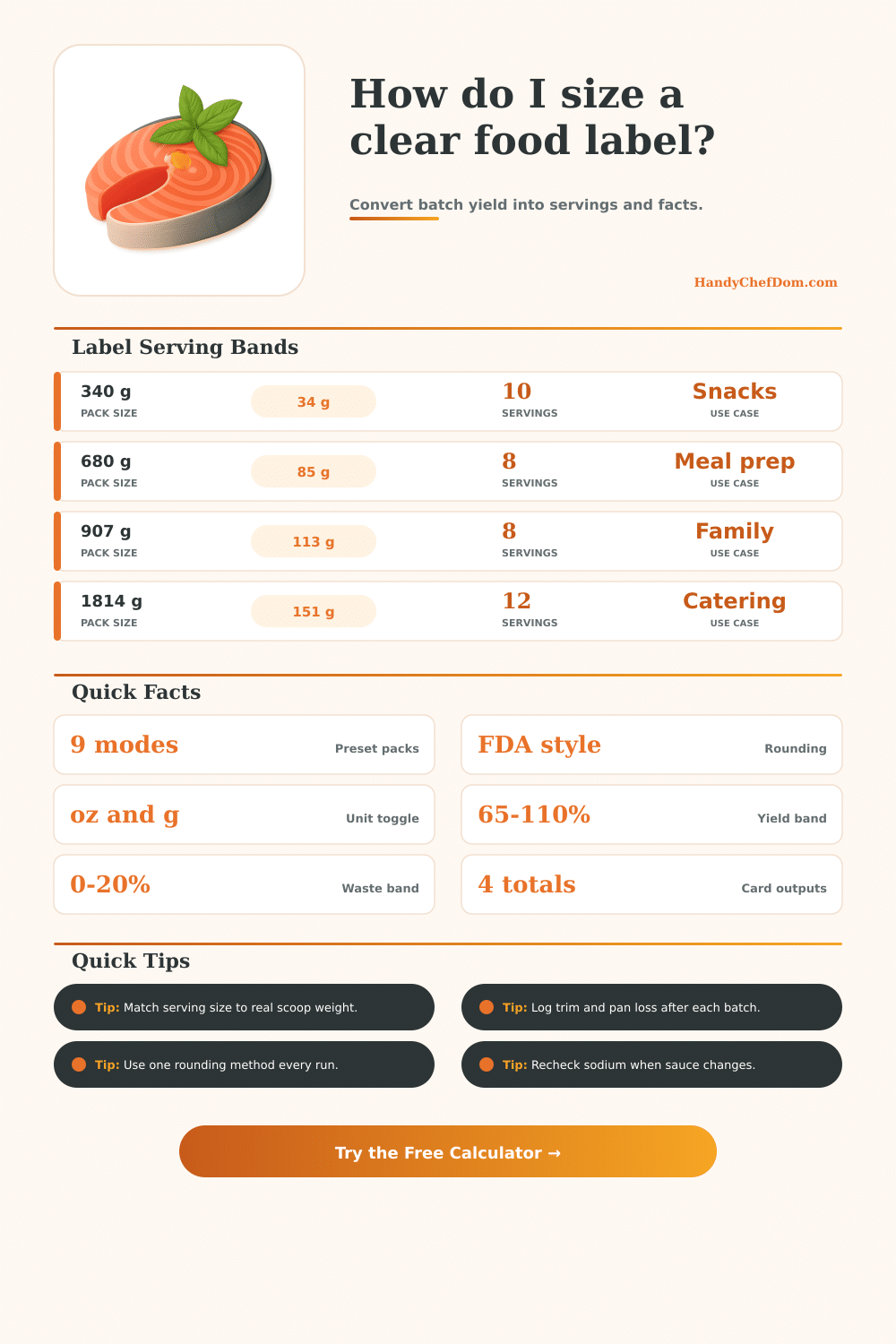
Food Label Calculator for Serving and Nutrition Facts
Turn raw batch weight, yield, and serving targets into consistent label-ready servings, calories, and macro values for meal prep, retail packs, and catering portions.
Pick a food profile, choose nutrition basis, then enter batch weight and process losses. The calculator converts values to per-serving and per-container nutrition facts with FDA-style serving rounding.
| Pack type | Typical serve | Metric serve | Label use |
|---|---|---|---|
| Snack pouch | 1.0-1.5 oz | 28-43 g | Dry snacks |
| Meal-prep cup | 4-6 oz | 113-170 g | Bowls and salads |
| Deli tub | 3-5 oz | 85-142 g | Cold sides |
| Catering pan | 5-8 oz | 142-227 g | Buffet portions |
| Food profile | Yield % | Typical waste | Density note |
|---|---|---|---|
| Granola clusters | 96% | 2-3% | Light and dry |
| Turkey chili | 88% | 4-6% | High moisture |
| Pasta salad | 93% | 3-5% | Medium density |
| Yogurt fruit cup | 98% | 1-2% | Smooth fill |
| Trail mix | 99% | 0-1% | Dry particulate |
| Rice bowl filling | 86% | 5-7% | Sauce variance |
| Group size | Portion each | Total edible | Suggested packs |
|---|---|---|---|
| 4 people | 5 oz | 20 oz | 5 x 4 oz cups |
| 6 people | 5 oz | 30 oz | 6 x 5 oz cups |
| 12 people | 4.5 oz | 54 oz | 12 x 4.5 oz cups |
| 25 people | 4 oz | 100 oz | 25 x 4 oz cups |
| 50 people | 4 oz | 200 oz | 50 x 4 oz cups |
When preparing large batch of food, such as chili or granola, it is important to be able to determine the final weight of that prepared food. The container of food may be weighed once it has cooled, but you must also account for the weight of the foods that was lost during the cooking process. During the cooking process, the food can lose moisture, which can lead to a reduction of the total weight of the food that is prepare.
Additionally, some of the food may stick to the pan or spoon in which it is cooked, and you must also account for the weight of that lost food. Should these component of the batch of food be ignored, the number of servings of the food will be calculated incorrect, leading to incorrect nutrition facts regarding that food. Two different measurements that can be used to determine the final weight of the batch of food are the weight of the yield and the weight of the waste.
How to Calculate Final Weight and Serving Size
The yield of the food is the weight of the food after the food has lost moisture during the cooking process. The waste of the food is the weight of the food that stick to the pan while cooking. Both of these component of the batch can change the final and net weight of the batch.
If these components are ignored, it is possible that the foods will state that they contain more servings then the batch contains, or that the calories in the food is less than the food actualy contains. The serving size of a food product is the weight of the food that is allocate to a single portion of food. For instance, the serving size of a snack pouch may be relatively small in weight, since people are to eat the snacks directly from the bag.
In contrast, the serving size of a meal may be larger in weight. Additionally, rules may be implemented that ensure that the serving size printed on the food remain stable, even if the weight of the food change slightly from batch to batch. A single rounding mode should be selected for the food product, so that the number of servings doesnt change with each batch of food that is prepared.
The nutrition data for the food will be based upon the original basis for that nutrition data. For instance, the nutrition data can be based upon the analysis of the food in a lab sheet, the nutrition analysis of the food in relation to 100 grams of the food, or you may track the nutrition data of the entire batch of food. The basis for the nutrition data should be made apparent, and the basis should mathematically relate to the calculation of the final weight of the batch of food.
Otherwise, the nutrition facts will be incorrect for the batch of food. You can find typical yield and waste percentages for foods in reference tables. The yield percentages are based off the moisture loss of the food when cooked.
Foods like granola will have very little moisture loss, while foods like saucy rice bowls will have a high percentage of moisture loss during cooking. The tables also feature the serving weights that are typically used for each type of package. These weights allow you to decide whether your calculated serving size is realistic according to the package.
Small change to a recipe will change the nutrition facts for that recipe. Adding an ingredient like garnish, changing the type of oil, or even changing the brand of canned tomato will change the sodium and fat content of the recipe. These changes may cause the serving size to change rounding thresholds for those nutrient.
In this case, it is important that you re-enter the recipe into the calculator to ensure that the nutrition facts are still accurately. The way that the food is consumed will also impact the way that it is labeled. Food that comes on a catering tray for a buffet may have a different serving size than food that comes in a meal prep cup with a single portion.
Food that is taken in quantity beyond the declared serving size on the label will have the same nutrition facts, but the label will be misleading. In this case, you can adjust the serving size upward to ensure the nutrition facts are honest about the amount of food that is consumed. Finally, be sure that the units of measurement match between the supplier and the portion size.
Many suppliers use grams as the weight unit for their ingredients. However, ounces may be used to portion food. Converting between these two units manually will introduce errors into the calculator.
These error will propagate throughout the calculation of nutrition facts per serving. To avoid this, ensure that the calculator is set to the unit of measurement that is most often used. Maintaining the consistency of the food label is the ultimate goal.
A consistent food label will gain the trust of the consumer more than one that is accurate but changes over time. Using the inputs for yield, waste, and fill allows the label to remain consistent. After establishing the inputs, the math will provide the correct number.
Even if the weight of the food changes slightly from batch to batch, the label should remain the same.