Beer Color Calculator
Project SRM and EBC from your grain bill, compare against style ranges, and fine tune malt percentages before brew day with a visual color chip and detailed math trail.
📌 Recipe Presets
🏷 Style Target Labels
⚙ Grain Bill Inputs
Method: Total MCU from each malt, then Morey conversion for SRM. SRM is converted to EBC and a visual band for style checks.
Color Breakdown
📊 Color Comparison Grid
📑 Reference Tables
| Beer style | SRM range | EBC range | Visual cue |
|---|---|---|---|
| American light lager | 2-3 | 4-6 | Very pale straw |
| German pilsner | 3-5 | 6-10 | Pale gold |
| Blonde ale | 4-7 | 8-14 | Gold |
| American pale ale | 6-9 | 12-18 | Golden amber |
| Amber ale | 10-17 | 20-34 | Amber copper |
| Brown porter | 20-30 | 39-59 | Deep brown |
| Dry stout | 30-40 | 59-79 | Near black |
| Imperial stout | 40+ | 79+ | Opaque black |
| Malt family | Typical Lovibond | Color impact | Recipe role |
|---|---|---|---|
| Pilsner malt | 1.4-2.0 L | Very low | Base body |
| Pale ale malt | 2.5-3.5 L | Low | Base flavor |
| Vienna malt | 3.5-4.5 L | Low-medium | Toasty lift |
| Munich malt | 8-12 L | Medium | Bread crust |
| Crystal 40 | 35-45 L | Medium-high | Copper hue |
| Crystal 80 | 70-90 L | High | Dark amber |
| Chocolate malt | 300-450 L | Very high | Brown tone |
| Roasted barley | 450-550 L | Extreme | Black edge |
| SRM band | EBC band | Name cue | Transparency |
|---|---|---|---|
| 1-3 | 2-6 | Straw | Brilliant clear |
| 4-6 | 8-12 | Gold | Clear |
| 7-9 | 14-18 | Deep gold | Clear |
| 10-14 | 20-28 | Amber | Slight haze |
| 15-19 | 30-37 | Copper | Moderate haze |
| 20-29 | 39-57 | Brown | Low light pass |
| 30-40 | 59-79 | Dark brown | Mostly opaque |
| 40+ | 79+ | Black | Opaque |
| Adjustment | Expected shift | Use case | Practical note |
|---|---|---|---|
| +10% crystal 40L | +1 to +2 SRM | Pale to amber | Fast hue change |
| +0.1 lb roast | +2 to +5 SRM | Porter tuning | Small dose, big move |
| +10% batch volume | -1 to -3 SRM | Scale-up brew | Dilutes color density |
| Longer kettle boil | +1 to +3 SRM | High gravity wort | Maillard darkening |
| Swap to lighter base | -1 to -2 SRM | Bright lager goal | Preserves clarity |
💡 Two Practical Tips
Beer colors is a visual characteristic of the beer and is the result of the ingredient used during the brewing process. Many brewers wants to know the color of there beer before they begin the brewing process. A person can use a beer color calculator to determine the color of the beer based off the color rating of the different malt that can be use in the beer recipe.
The color of the beer come from the malt used in the recipe. The base malts used in beer recipes contributes very little color to the beer. However, specialty malts contributes a significant amount of color to the beer.
How to Find the Color of Your Beer
Examples of these specialty malts includes crystal malts and roast malts. Each type of malt has a color rating that is measured in degrees Lovibond. The Lovibond number describe the darkness of the malt when view through a thin extract of the malt.
The higher the Lovibond number for the malt, the more darker the color that the malt will contribute to the beer. The amount of color that the beer will have can be determined from the weight of the malt and the total weight of the grain used in the beer recipe. Using a small amount of dark color malt will significantly change the color of the beer.
Using a large amount of pale malt will have a minimal impact on the color of the beer. The brewer must enter the weight of each type of malt into the calculator in order to determine the total amount of color that the beer will have. The calculator determine the color contribution of the malts using the Morey equation.
This equation calculate the color contribution of the malts in relation to the SRM scale of beer colors. The SRM scale is another scale that can be used to measure the color of the beer, the EBC scale. The SRM and EBC scales measures the same color but use different scales to represent that color.
The volume of the liquid that will be used in the beer recipe will also impact the color of the beer. Using a larger volume of liquid will produce a lighter colored beer than using a smaller volume of liquid to dissolve the malt. The boil process for the beer can also impact the color of the beer.
During the boil, the Maillard reactions to the malt produce more color to the brew. This change in color must be account for in the beer color calculator using the darkening adjustment field for the brew. Using the reference table for beer colors and volumes, brewers can determine what color their beer should be.
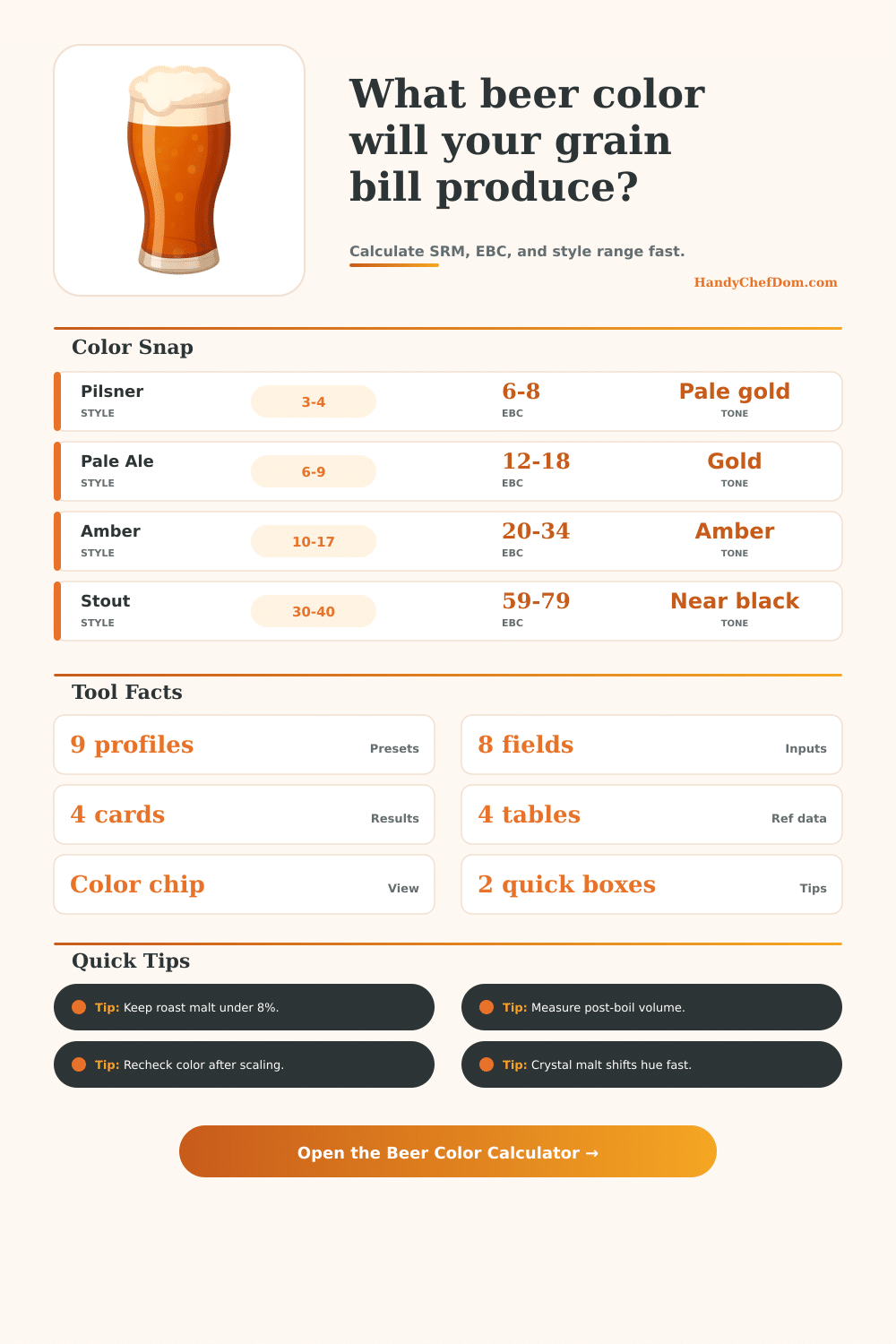
For example, German pilsners can have a pale color while amber beer are darker in color than German pilsners. By using the reference table for different beer style, a brewer can determine whether their calculated SRM value will produce the correct color for their desired beer style. The beer color calculator allow the brewer to test different changes to the beer recipe before brewing the beer.
For instance, the brewer can increase the amount of crystal malt in the recipe to determine how the SRM value will change. A brewer can also change one type of malt in the recipe for another to determine how that change will impact the SRM value. Although the beer color calculator incorporate many of the factors that can change the color of the beer, there are still other factor that can impact the color of the beer.
The chemistry of the water used to brew the beer can change the color of the brew. Using too much hop trub during the kettle stage can also change the color of the beer. Additionally, the fermentation of the beer can change the bright of the beer color.
However, each of these factor will only change the color of the beer by a small amount. Roast malts are very efficient in adding color to the beer. Using too much of this type of malt will lead to a very dark beer and one that is opaque when view.
The percentage of this type of malt should be monitored so that it doesnt go beyond the desired amount for that type of beer recipe. Additionally, if the volume of the beer is changed, the brewer should also change the weight of each type of malt proportionally so that the color of the beer remain the same. The beer color calculator will visually display the color of the beer for the brew recipe.
The visual representation of the color will help the brewer to understand the color of the beer prior to begin the brewing process. By knowing the color of each type of malt and how the volume of the liquid impact the color of the beer, the brewer has control over the color of the beer being prepared. Youll find that knowing teh color of the malts is vital to the process.